Author: Maya Fiddler

  • A Tiny Business Plan for Your Website

    This article is for small business owners, freelancers, and other DIY website builders who want their site to support a real business, not just โ€œbe online.โ€ Itโ€™s Part 2 of my DIY website series, where we go step by step from intention to branding, tools, statistics, and SEO.

    In Part 1, you defined the main job of your website. Now weโ€™ll turn that into a tiny business plan just for your website โ€“ a friendly oneโ€‘pager that even a photographer or designer can create.


    Why your website deserves a tiny plan

    Many small business guides agree that your website is one of your most important sales and marketing tools, not a side project. It works as your digital storefront and welcome mat: people discover you, learn what you offer, and decide whether they trust you enough to get in touch.

    Because your website plays this central role, it makes sense to give it a simple plan โ€“ not a 40โ€‘page corporate document, just a clear answer to: Who is this for, what am I offering, what should happen here, and what can I realistically invest?


    What is a tiny business plan for a website?

    A traditional business plan covers everything about the company: market analysis, financial projections, operations, investors. Thatโ€™s useful if youโ€™re looking for funding, but itโ€™s overkill when youโ€™re planning a small portfolio or service website.

    tiny website business plan is just a oneโ€‘page summary that covers five things:

    1. Audience โ€“ who this website is really for.
    2. Offer โ€“ what youโ€™re selling or showing.
    3. Goals โ€“ what should happen on the site.
    4. Budget and time โ€“ what you can realistically invest.
    5. Success measure โ€“ what progress would look like in 6โ€“12 months.

    This is enough to guide your decisions without overwhelming you.


    1. Audience โ€“ who should visit your site?

    Your website doesnโ€™t need to be โ€œfor everyone.โ€ It works much better if it speaks clearly to a specific type of person or business. Marketing and planning resources consistently stress that defining your target audience is the foundation for good decisions.

    For a tiny website plan, you just need a simple description of your ideal visitors. For example:

    • โ€œGermanโ€‘speaking therapists in small towns who need a lowโ€‘pressure way to learn about my services.โ€
    • โ€œLocal cafรฉs and bakeries in Saxony that want a simple website with opening hours and menu.โ€
    • โ€œWedding couples in Saxony who love relaxed, documentaryโ€‘style photography.โ€

    Try this exercise:

    • Write one or two sentences starting with:
      • โ€œMy website is mainly forโ€ฆโ€
      • โ€œThey usually struggle withโ€ฆโ€
    • Keep it concrete: location, language, type of person, and maybe one key problem they have.

    You donโ€™t have to get it perfect. You just need it specific enough that you can picture who youโ€™re talking to.


    2. Offer โ€“ what are you actually selling or showing?

    Next, be clear about what your website is โ€œputting on the table.โ€ Business plan templates for online projects always include a simple description of the products or services, because everything else depends on it.

    For a small business or portfolio site, your offer usually fits into one (or a mix) of these:

    • Services โ€“ coaching, design, therapy, consulting, web development, hairdressing, photography, etc.
    • Products โ€“ physical products, digital downloads, templates, prints.
    • Portfolio / authority โ€“ case studies, project gallery, CV, articles that show your expertise.
    • Information / support โ€“ guides, FAQs, documentation for existing clients.

    Write down:

    • What are you selling or showing on this website, in plain language?
    • If you have multiple offers, which 1โ€“2 should be the focus right now?

    Examples:

    • โ€œI sell branding and web design services to small businesses.โ€
    • โ€œI offer counselling sessions online and in person.โ€
    • โ€œI show my web development projects so I can get interviews for junior positions.โ€

    This helps you later when you decide which pages to include and how to structure your navigation.


    3. Goals โ€“ what should happen on the site?

    In Part 1, you defined the main job of your website. Now weโ€™ll turn that into one or two concrete actions you want visitors to take. Website and marketing guides emphasise that a site is more effective when itโ€™s built around clear, measurable actions.

    Common website goals:

    • Send an email or fill out a contact form.
    • Book a call or appointment.
    • Buy something directly online.
    • Sign up to a newsletter or download a free resource.
    • Apply for a role or invite you to an interview.

    Pick:

    • One primary goal โ€“ the main action you want most visitors to take.
    • One secondary goal โ€“ a softer action that still moves things forward, like joining your mailing list.

    Examples:

    • โ€œPrimary: book a free discovery call. Secondary: download a simple guide in exchange for an email address.โ€
    • โ€œPrimary: send an enquiry for a wedding date. Secondary: follow me on Instagram for updates.โ€

    Write them as simple sentences. Later, these will become the basis for your main buttons and callsโ€‘toโ€‘action.


    4. Budget and time โ€“ what can you realistically invest?

    Your website lives in the real world with your real life, energy, and money. A plan that ignores your reality will only create frustration. Small business planning frameworks often connect strategy to available resources for exactly this reason.

    Answer honestly:

    • Budget:
      • How much can you invest in the next 3โ€“6 months?
      • Think about: domain, hosting, theme or page builder, essential plugins, maybe a bit of professional help (consultation, copy, design) if needed.
    • Time:
      • How many hours per week or per month can you realistically spend on:
        • setting up the site,
        • adding content,
        • basic maintenance (updates, backups, small changes)?

    Examples:

    • โ€œI can spend around 300โ€“500 โ‚ฌ in the next six months and 4 hours per month on updates.โ€
    • โ€œI have very little budget, but I can invest more time myself, about 3 hours per week for the next two months.โ€

    This will help you choose tools and scope that match your situation, rather than pushing you into burnout or halfโ€‘finished projects.


    5. Success measure โ€“ what would โ€œgoodโ€ look like in 6โ€“12 months?

    Websites are longโ€‘term assets. They donโ€™t need to โ€œexplodeโ€ immediately; they just need to move in the right direction. Business plans and digital strategy guides often use simple, measurable goals (sometimes called SMART goals) to track progress.

    For your tiny plan, choose 1โ€“3 simple measures that match your goals:

    • Number of enquiries or bookings per month.
    • Number of new clients per month.
    • Number of sales per month or per quarter.
    • Number of email subscribers.
    • Number of portfolioโ€‘related contacts or interview invitations.

    Examples:

    • โ€œIn 12 months, Iโ€™d like to get 5โ€“10 good enquiries per month through my website.โ€
    • โ€œIn 6 months, Iโ€™d like to have 100 newsletter subscribers and one new client per month from my site.โ€
    • โ€œIn 12 months, Iโ€™d like my portfolio site to bring at least 3 interview invitations.โ€

    Choose numbers that feel reachable but motivating, not extremely ambitious. You can always adjust them as you learn whatโ€™s realistic for your context.


    Putting it all together on one page

    Now you can combine everything into a tiny oneโ€‘page website plan.

    Open a fresh document and create five short sections:

    1. Audience
      • โ€œMy website is mainly forโ€ฆโ€
    2. Offer
      • โ€œOn this site, I offer / showโ€ฆโ€
    3. Goals
      • โ€œPrimary goal: โ€ฆโ€
      • โ€œSecondary goal: โ€ฆโ€
    4. Budget & time
      • โ€œBudget for the next 6 months: โ€ฆโ€
      • โ€œTime I can spend each month: โ€ฆโ€
    5. Success in 6โ€“12 months
      • โ€œIn 6 / 12 months, success would look likeโ€ฆโ€

    Thatโ€™s it. This is your tiny business plan for your website.

    You can now use it as a filter when you:

    • decide which pages you need,
    • choose tools and hosting,
    • write content,
    • and later, look at statistics and SEO.

    Your plan doesnโ€™t have to be perfect or final; business guides encourage updating plans as your situation changes, and the same is true for your website.


    FAQ: Tiny business plan for your website

    1. Do I really need a plan for such a small site?

    Even a small website works better when youโ€™re clear about who itโ€™s for, what you offer, and what should happen on it. A tiny plan helps you stay focused and avoid wasting time on features or pages that donโ€™t support your real goals.

    2. How is this different from a โ€œrealโ€ business plan?

    A traditional business plan covers the entire company: market analysis, operations, finances, sometimes for banks or investors. This tiny plan is just for your website and only focuses on audience, offer, goals, resources, and simple success measures, so itโ€™s much easier to create.

    3. What if my audience or goals change later?

    Thatโ€™s normal. Many planning resources recommend treating your plan as a living document that you adjust as you learn. You can update your tiny website plan any time โ€“ for example after a few months of analytics data or when you refine your offer.

    4. My website is โ€œjust a portfolio.โ€ Do I still need this?

    Yes, because that portfolio still has a job: bring interviews, attract clients, or demonstrate your skills. Even a simple portfolio benefits from clarity about who you want to impress, what you want to show, and what action you want visitors to take.

    5. How does this tiny plan help with SEO and marketing later?

    SEO, content, and marketing tools work best when they support clear goals. Once you know who youโ€™re talking to, what you offer, and what โ€œsuccessโ€ looks like, itโ€™s much easier to decide which topics to write about, which keywords to target, and which metrics to track in your statistics.

    Ready for support with your tiny plan?

    If you like working DIY but want a bit of guidance, here are two ways I can help:

    Option 1 โ€“ 1:1 planning session

    Want to create your tiny website business plan together?
    In a 60โ€‘minute session, weโ€™ll clarify your audience, offers, goals, and realistic budget/time, so you finish with a simple oneโ€‘page plan you can actually use.

    ๐Ÿ‘‰

    Option 2 โ€“ Doneโ€‘forโ€‘you website based on your plan

    Already clear on what you want but donโ€™t want to build it alone?
    I design and develop WordPress websites for European small businesses and freelancers, based exactly on the kind of tiny plan youโ€™ve just created.

    ๐Ÿ‘‰

    n the next part of this series, weโ€™ll move from planning to branding basics for your DIY website: choosing colours, fonts, and imagery that feel like you (or your business) and stay consistent without turning you into a fullโ€‘time designer.

  • Before You Touch a Template: Decide What Your Website Should Actually Do

    Before You Touch a Template: Decide What Your Website Should Actually Do

    This article is for small business owners, freelancers, and other DIY website builders who want to plan their site properly before touching any template or theme.

    Itโ€™s Part 1 of my stepโ€‘byโ€‘step series on building (or rebuilding) your own website: from defining your intention, to a tiny website business plan, branding, tools, statistics, and SEO.

    Table of Contents

    You are ready to build (or rebuild) your website.
    Itโ€™s tempting to jump straight into colours, fonts, and templates โ€” but thatโ€™s exactly how so many small business and portfolio sites end up looking nice and doingโ€ฆ nothing. The problem is usually not your design skills. Itโ€™s that the website never had a clear job in the first place.

    In this article, weโ€™ll slow down before design and define what your website should actually achieve for you. Once youโ€™re decided that, choosing pages, tools, and content becomes much easier.
    In the next part of this series, weโ€™ll turn that into a tiny business plan for your website.

    Your website is not a decoration, itโ€™s a worker

    Think of your website as a quiet team member. It costs time and energy, so it should also have a real job.

    For small businesses and freelancers, a website can help you:

    • Get new enquiries or bookings.
    • Show that you are trustworthy and professional.
    • Explain what you do and how you help.
    • Showcase your work or experience.

    Larger companies often connect their website directly to business goals like leads, sales, or support requests, and small businesses benefit from doing the same in a simpler way.
    If your site exists โ€œjust to be there,โ€ it will be very hard to know what to put on it or how to judge if itโ€™s working.

    One main job, one helper job

    A big mistake many DIY website builders make is trying to do everything at once: blog, shop, membership, portfolio, newsletter, booking system, all from day one. The result is usually a confusing site that doesnโ€™t clearly lead visitors anywhere.

    Instead, use a simple rule:

    • Pick one primary job for your website.
    • Pick one helper job that supports the main one.

    Examples:

    • Service business (coach, consultant, therapist):
      • Primary job: Get people to book a first call or send an enquiry.
      • Helper job: Build trust by explaining your approach and sharing a few testimonials.
    • Creative portfolio (designer, photographer, developer):
      • Primary job: Get invited to interviews or project calls.
      • Helper job: Make your best 3โ€“5 projects very easy to find and understand.

    You can add more goals later, but starting with one main job and one helper keeps your decisions focused.

    Common โ€œjobsโ€ a website can do for you

    If youโ€™re not sure what your primary job should be, here are some common options websites are built around:

    • Trust and credibility
      Looking like a real, serious business or professional: clear information, consistent branding, real photos, and testimonials.
    • Leads and bookings
      Turning visitors into enquiries, discovery calls, bookings, trial lessons, or consultations.
    • Direct sales
      Selling products, digital downloads, or services directly on the site.
    • Information and support
      Answering common questions, sharing guides, or helping existing customers find what they need.
    • Showcasing work
      Presenting portfolio projects or case studies so people can quickly see what youโ€™re capable of.

    You might see yourself in more than one category, and thatโ€™s fine. The key is: choose which one comes first right now.

    A small exercise: 5 questions to define your websiteโ€™s job

    Grab a notebook or open a simple document. Take a few minutes to answer these questions honestly โ€” donโ€™t overthink.

    1. What do you need more of in the next 12 months?

    Do you need more:

    • enquiries,
    • bookings,
    • shop orders,
    • email subscribers,
    • or interview invitations?

    Your answer points directly toward your primary website goal.


    2. When someone leaves your site, what should be true?

    Imagine a visitor lands on your site and leaves again 5 minutes later.
    In an ideal world, what should be true when they go?

    Examples:

    • โ€œThey understand what I do and feel safe to contact me.โ€
    • โ€œThey have seen my three strongest projects and know how to reach me.โ€
    • โ€œThey have booked a first call.โ€

    Write down one sentence that describes this.


    3. If your website could only do one thing really well, what would it be?

    Forget about all the nice extras.
    If your website could only do one thing for you, what would you choose?

    • Get people to contact you.
    • Show your best work.
    • Explain your service clearly.
    • Process orders.

    Thatโ€™s your primary job.


    4. What is a good โ€œsecond jobโ€ that supports the first?

    Now pick one smaller goal that helps your main one.

    Examples:

    • If your primary job is โ€œget enquiries,โ€ a helper job could be โ€œbuild trust with a simple About page and 2โ€“3 testimonials.โ€
    • If your primary job is โ€œshow my portfolio,โ€ a helper job could be โ€œmake it easy to download my CV.โ€

    This will stop your site from trying to be everything at once.


    5. What do you not want your website to do (for now)?

    Saying no is just as important.

    Maybe you donโ€™t want:

    • a blog yet,
    • an online shop yet,
    • a membership area,
    • or complex integrations.

    Guides for small businesses regularly warn against adding features you wonโ€™t maintain โ€” they create clutter without supporting your real goals.
    Write down what youโ€™re not doing yet. You can always add it later.

    How clear goals turn into pages

    Once you know your websiteโ€™s main job, deciding which pages you need becomes simpler.

    For example:

    • Consultant or coach
      • Primary job: Get discovery calls.
      • Core pages: Home, Services, About, Contact.
      • Homepage focus: who you help, what problem you solve, and a clear โ€œBook a callโ€ or โ€œRequest infoโ€ button.
    • Creative portfolio (designer, developer, photographer)
      • Primary job: Get interview invitations or project requests.
      • Core pages: Home, Portfolio/Projects, About, Contact.
      • Homepage focus: your strongest work and a clear โ€œView portfolioโ€ or โ€œWork with meโ€ callโ€‘toโ€‘action.

    Website strategy guides often recommend planning goals and sitemap before design, because it keeps the site focused and easier to navigate for visitors.

    If you want to go deeper into which pages you really need and what to put on them, Iโ€™ll cover that in a separate article about essential website pages.

    How your goals influence design (without jargon)

    You donโ€™t have to be a designer to use your goals to guide basic design decisions.

    • If your main job is getting enquiries or bookings:
      • You want a simple layout, clear buttons, and forms that are easy to find and use.
      • Your headings should quickly explain what you do and who you help.
    • If your main job is showing your work:
      • You want strong, clean project images or screenshots, with short, clear descriptions.
      • Navigation should make it easy to jump between projects and to your contact page.

    Most smallโ€‘business advice agrees that clarity, readable text, and mobileโ€‘friendly layouts are much more important than fancy visual effects.

    Be honest about your time and energy

    One last reality check: your website job should match your real life.

    Ask yourself:

    • How many hours per month can I realistically spend updating my site?
    • Do I truly have time to maintain a blog or shop right now?
    • What will I still be happy to do six months from now?

    Maintenance and strategy guides emphasise that a simple, focused website that you can actually care for will usually perform better than a big, ambitious one that you never update.

    Itโ€™s perfectly okay to start with a small, clear website whose main job is โ€œshow I exist and make it easy to contact meโ€ โ€” and grow from there.

    Wrapโ€‘up: your oneโ€‘sentence website job

    By now you should have notes for:

    • what you need more of,
    • what should be true when visitors leave,
    • your primary job,
    • your helper job,
    • and things you are not doing yet.

    Try to put it into one simple sentence, like:

    • โ€œMy websiteโ€™s main job is to get local clients to book a first call, and its helper job is to show I am trustworthy and experienced.โ€
    • โ€œMy websiteโ€™s main job is to get me interviews as a junior web designer, and its helper job is to make my best projects easy to explore.โ€

    This one sentence will guide all your next decisions.

    Once youโ€™ve written your oneโ€‘sentence website job, youโ€™re ready for Part 2: your tiny website business plan, where we connect your goals, your audience, and your offer so you know exactly what content you need on which page.

    FAQ: Before You Start Building Your Website

    Do I really need to define goals before I start designing?

    Strictly speaking, youย canย start designing without clear goals, but most small business and marketing guides agree that it leads to more rework, unfocused content, and weaker results. Defining the main job of your website first makes every other decision easier: which pages you need, what to write, and where to send people next.

    What if I have several goals for my website?

    Thatโ€™s normal. The key is to chooseย one primary goalย for right now (for example โ€œget enquiriesโ€ or โ€œshow portfolioโ€) and treat the others as secondary for later. Websites that try to chase too many goals at once usually feel confusing and do not guide visitors to a clear next step.

    Iโ€™m not sure what I need more: enquiries, visibility, or sales. How do I decide?

    Look at the next 6โ€“12 months of your real life: Do you need more client enquiries, more authority and trust, or actual online sales? Pick the one that would make the biggest difference to your business or career right now and build your website around that first โ€” you can always adjust as you learn.

    Can a simple โ€œbusiness cardโ€ website still be useful?

    Yes. A small, focused site with clear contact information, a short explanation of what you do, and a strong callโ€‘toโ€‘action can already support many freelancers and local businesses. Itโ€™s better to have a simple site that clearly does its job than a complex one you never finish or maintain.

    What if I start DIY and later decide I want professional help?

    Thatโ€™s a common path. Planning your websiteโ€™s job now means that, if you later hire a designer or developer, you already know your goals and target audience โ€” which saves time and money and usually leads to a better result. Many web professionals actually begin their process by asking clients the same questions youโ€™ve just answered in this article.

    Where does SEO fit into all of this?

    SEO works best when it supports clear goals. Search and UX guides emphasise that you need to knowย whatย you want visitors to do before you drive more traffic to a site. In this series, weโ€™ll first decide the job of your website, then create a small plan, then handle branding, tools, stats, and finally SEO โ€” in that order.

    Ready for support with this step?

    Here are two ways I can help you move from โ€œthinking about itโ€ to having a clear plan (and, if you want, a finished website).

    Option 1 โ€“ 1:1 planning session

    Ready to define your websiteโ€™s job together?
    If youโ€™re stuck between โ€œI want to do it myselfโ€ and โ€œI donโ€™t want to mess it up,โ€ I offer 1:1 strategy sessions for small businesses and freelancers in Europe.
    In 60 minutes, we clarify what your website should do, which pages you actually need, and your next concrete steps.

    ๐Ÿ‘‰ Want help with this step? Book a strategy call or send me a short message with where you are now and what youโ€™d like your website to do.

    Option 2 โ€“ Doneโ€‘forโ€‘you WordPress website

    Prefer not to do it alone?
    If youโ€™d rather have someone build a clear, easyโ€‘toโ€‘manage WordPress site based on the goals youโ€™ve just defined, I design and develop websites for European small businesses and solo professionals.
    Weโ€™ll start with a simple planning call and then Iโ€™ll take care of the technical setup, structure, and launch.

    ๐Ÿ‘‰ Curious if weโ€™re a good fit? Learn more about my website packages or get in touch for a short, noโ€‘pressure call.

  • The Non-Scary Guide to Being Found on Google

    The Non-Scary Guide to Being Found on Google

    The Non-Scary Guide to Being Found on Google

    As a small business owner, you already wear a dozen hats. You are the accountant, the customer service rep, the visionary, and sometimes, the janitor. The last thing you want to add to that list is “SEO Expert.”

    If you have ever searched for advice on how to get your website to show up on Google, you have probably been hit with a wall of terrifying tech jargon: algorithms, backlinks, SERPs, meta-tags, schema markup. It is enough to make anyone want to close their laptop and walk away.

    But here is a secret I have learned after years of building websites and listening to business owners: SEO doesn’t have to be scary.

    At its core, SEO (Search Engine Optimization) is just digital customer service. It is simply the process of making sure your website answers the exact questions your future customers are asking, and making sure Google can easily read those answers.

    Let’s strip away the jargon and look at the foundation of getting found online, what you actually need to care about, and how a properly built website does half the heavy lifting for you.

    What is SEO, Really?

    Imagine you own a fantastic bakery on a street with no signs, no windows, and a locked front door. Inside, you have the best sourdough in town, but nobody walking by knows it.

    Google is like a highly organized tour guide. When someone visits Google and types in “best sourdough near me,” Googleโ€™s job is to recommend the best, most reliable bakeries. If your digital “storefront” is confusing, messy, or lacks a sign, the tour guide is going to skip you and recommend the bakery down the street.

    SEO is simply putting up clear signs, unlocking the door, and making sure the tour guide knows exactly what you sell.

    The 3 Things Small Businesses Actually Need to Care About

    You don’t need to learn code to improve your chances of being found. You just need to focus on these three human-centric areas:

    1. Speak Your Customer’s Language (Keywords)

    When we say “keywords,” we just mean the actual words people type into the search bar. If you are a plumber in Munich, you might want to rank for “plumbing services.” But your customer in the middle of the night isn’t searching for that. They are typing: “emergency pipe leak repair Munich.”

    What you can do: Think about the exact problems your customers are trying to solve when they need you. Use those specific phrases naturally in your website’s text, especially in your page titles and main headings. Write for humans firstโ€”if a sentence sounds awkward because you forced a phrase into it, rewrite it.

    2. Claim Your Digital Real Estate (Local SEO)

    If you serve a specific local area, this is the most important step you can take. Google has a free tool called theย Google Business Profile. This is what makes your business show up on Google Maps and in those special local search results at the top of the page.

    What you can do: Claim your free Google Business Profile. Make sure your business name, address, and phone number are exactly the same everywhere they appear on the internet. Encourage your happy customers to leave reviews, because Google trusts businesses that real people vouch for.

    3. Answer Questions Better Than Anyone Else

    Google’s ultimate goal is to give its users the most helpful answer possible. If your website only has a few sentences saying “We sell shoes, call us,” Google won’t consider you a helpful resource.

    What you can do: Write naturally. Explain your services clearly. If your customers frequently ask you the same five questions over the phone, put those questions and your detailed answers on your website. Helpful, honest content will always win over cheap “tricks.”

    How I Build SEO-Friendly Websites (So You Don’t Have To)

    This is where the technical side comes in. You can have the best words on your website, but if the site itself is built poorly, Google’s “tour guide” will get frustrated and leave.

    When you hire me to build or fix your website, I handle the technical foundation so you can just focus on running your business. Drawing from my background in customer service and wedding photography, I believe your website should be a beautiful, stress-free experience for your clients. Here is what I do behind the scenes to make that happen:

    1. I Make It Lightning Fast

    People are impatient, and Google knows it. If your website takes more than three seconds to load, most visitors will click the “back” button. Google penalizes slow websites. When I build a site, I compress all the images, clean up the messy code, and set up caching so your pages load instantly.

    2. I Build for Mobile Phones First

    Over half of all internet searches happen on smartphones. If your website requires people to pinch and zoom just to read your phone number, Google will hide your site from mobile search results. I use responsive design techniques to ensure your website looks beautiful and functions perfectly whether your customer is using a massive desktop monitor or holding an iPhone with one hand.

    3. I Organize the Behind-the-Scenes Labels

    Search engines can’t “see” pictures or read the way humans do. They rely on invisible labels hidden in the website’s code to understand what a page is about. I ensure every page has a proper “Title Tag” and “Meta Description”. I also add descriptive text to all your imagesโ€”this tells Google exactly what the picture is showing, which is a massive boost for your visibility.

    4. I Create a Logical Map

    Imagine walking into a grocery store where the milk is next to the hardware and the bread is hidden behind the mops. You would leave. Websites are the same. I structure your websiteโ€™s navigation so that both your human visitors and Googleโ€™s automated robots can easily find what they are looking for without getting lost. If you have multiple locations, I build dedicated pages for each one so you can be found in different neighborhoods.

    The Bottom Line

    You don’t need to learn a new language to succeed online. Good SEO is about empathy: understanding what your customers need, providing clear answers, and offering a smooth, fast, and pleasant experience when they visit your website.

    If your current DIY website feels sluggish, or if you simply want the peace of mind knowing the technical foundation is set up correctly from day one, you don’t have to figure it out alone.

    Letโ€™s get your digital storefront unlocked and the signs turned on. Reach out today, and let’s talk about how we can build a clean, fast, and SEO-friendly website that works as hard as you do.

  • Your Official Website Address: A Quick Guide for Business Owners

    Your Official Website Address: A Quick Guide for Business Owners

    When you ask me to build your WordPress website, one of the first โ€œbehind-the-scenesโ€ decisions we make is what your official website address will beโ€”and then we make sure every other version automatically points to it. This protects your brand, avoids confusion for customers, and helps search engines understand exactly which site to show.[developer.mozilla]โ€‹

    The โ€œsame websiteโ€ can have different addresses

    Many business owners are surprised to learn that these can be treated as different addresses on the internet: mayafiddler.com, www.mayafiddler.com, https://mayafiddler.com, and https://mayafiddler.com. Even if they look similar, theyโ€™re not identicalโ€”and if multiple versions stay live, it can create duplicate copies of your pages and split your results across two โ€œsites.โ€[sitepoint+1]

    www vs nonโ€‘www (what it means for your business)

    www.mayafiddler.com and mayafiddler.com are two different hostnames, and either one can be your primary address. What matters is choosing one as the preferred version and making the other one forward to it, so customers always land in the same place and your marketing links are consistent.[developer.mozilla+1]

    http vs https (why you should care)

    HTTP is the older, non-encrypted version of a website connection, while HTTPS encrypts traffic and helps protect what visitors do on your site (especially contact forms). A modern business website should use HTTPS everywhere, and the non-secure HTTP version should automatically redirect to HTTPS.[keyfactor+1]

    What I set up for WordPress clients (best practice)

    For WordPress builds, I recommend a clean, standard setup:

    • Pick one official address: either https://mayafiddler.com or https://www.mayafiddler.com.[developer.mozilla]โ€‹
    • Permanently redirect every other version to the official one (so thereโ€™s only one โ€œrealโ€ website address).[developer.mozilla]โ€‹
    • Keep WordPress links and site settings aligned with that official address to avoid inconsistencies.[developer.mozilla]โ€‹

    This is a small configuration step, but it prevents common problems like split analytics, inconsistent sharing links, and duplicate pages being visible online.[sitepoint+1]

    What this means for you day-to-day

    Once itโ€™s configured, you donโ€™t need to think about it: you share one website link everywhere (Google Business Profile, Instagram bio, email signature, business cards), and it always works the same way. If someone types the โ€œotherโ€ version (with www or without it), they still end up on the correct site automatically.[developer.mozilla]โ€‹

    Which do you prefer as your public-facing link for your brand: https://mayafiddler.com (shorter) or https://www.mayafiddler.com (traditional)?

  • WordPress website cost in Germany/Europe: what you actually pay for (and whatโ€™s optional)

    WordPress website cost in Germany/Europe: what you actually pay for (and whatโ€™s optional)

    If youโ€™ve ever tried to price a WordPress website in Germany or elsewhere in Europe, youโ€™ve probably seen everything from โ€œa few hundred eurosโ€ to โ€œfive figuresโ€ for something thatโ€”on the surfaceโ€”looks similar: a homepage, an about page, and a contact form.

    The reason the numbers vary is simple: youโ€™re not paying for โ€œa website.โ€ Youโ€™re paying for outcomesโ€”trust, clarity, speed, security, SEO foundations, and maintainabilityโ€”plus the amount of risk and time you want to remove from your own plate.

    This guide breaks down what a WordPress website actually costs in Germany/Europe, what drives the price up or down, and whatโ€™s truly optional so you can budget with confidence. (And if youโ€™re not ready for a full project, you can still get meaningful results with small improvements.)

    Not ready for a full rebuild? Start with a Quick Task

    A lot of businesses donโ€™t need a brand-new website right away. They need targeted fixes that remove friction and make the existing site perform betterโ€”fast.

    Thatโ€™s exactly what my microservices (Quick Tasks) are for: small improvements with fast turnaround to make your website faster, safer, and easier to find online.โ€‹

    If you want the simplest next step, request a free website audit (design, speed, user experience) and Iโ€™ll reply with the top 1โ€“3 improvements that will make the biggest difference.

    Content Upload & Formatting โ€” from โ‚ฌ30 per page

    You send me your text and images (Google Doc, PDF, email, or existing draft), and Iโ€™ll publish the page in WordPress with clean, consistent formatting.โ€‹
    Includes proper headings, spacing, links, buttons, and a mobile-friendly layout so the page looks professional on desktop and phone.โ€‹
    Best for: new service pages, landing pages, blog posts, portfolio entries, or updating old pages that look inconsistent.

    What I need from you: the content + where it should go (menu location or page URL).
    Delivery: typically 1โ€“3 business days depending on length/complexity.
    Output: a published page (or draft for your approval) + a short note of what was done.

    Plugin Installation & Configuration โ€” from โ‚ฌ25 per plugin

    Iโ€™ll install the plugin, configure the essential settings, and test that it works correctly with your current theme and existing plugins.โ€‹
    Youโ€™ll also get a short handover message explaining what was set up and what you should (and shouldnโ€™t) touch to avoid breaking anything.โ€‹
    Best for: contact forms, caching/performance, security basics, backups, redirects, cookie/consent tools, multilingual, or simple SEO tooling.

    What I need from you: WordPress admin access (or temporary access) and what you want the plugin to achieve.
    Notes: if a plugin requires a paid license, you purchase the license; I handle setup and configuration.

    Iโ€™ll connect your domain to your website, configure DNS records, and set up SSL/HTTPS so your site loads securely and correctly.โ€‹
    Iโ€™ll also do basic checks to make sure the site is reachable, the main pages load, and there are no obvious โ€œmixed contentโ€ or redirect issues after setup.โ€‹
    Best for: new websites, migrations, domain changes, โ€œmy site isnโ€™t loading,โ€ or โ€œHTTPS isnโ€™t working.โ€

    What I need from you: login details (or temporary access) for your domain provider and hosting account.
    Output: everything connected + a quick summary of what was changed and where future renewals/settings are managed.

    Tiny improvements that boost conversions

    If you want these to sell better, add one line under your โ€œQuick Tasksโ€ headline:

    โ€œNot sure what you need? Request a free website audit and Iโ€™ll recommend the best first Quick Task.โ€ (Link to your contact/audit page.)

    Paste the current accordion texts when you can, and tell me your preferred tone:

    1. very direct and technical, or
    2. friendly and non-technical (small business owners).

    CTA: Request your free website audit โ†’ https://mayafiddler.com/contact-me-request-a-quote/

    WordPress (the software) is free and open source, but a real site still requires:

    • A domain (your web address)
    • Hosting (where WordPress runs)
    • A theme and/or design work
    • Plugins/integrations (forms, backups, SEO, security, etc.)
    • Content (text + images)
    • Setup, testing, and ongoing updates

    So when someone asks, โ€œHow much does a WordPress website cost?โ€ theyโ€™re really asking: โ€œHow much does it cost to build and run a WordPress site that supports my business goals?โ€

    A useful way to understand pricing is to separate costs into three categories.

    1) Build costs (one-time)

    This is the โ€œmake it real and ready to launchโ€ phase. It usually includes:

    • Discovery & planning (goals, target audience, required pages, priorities)
    • Site structure (navigation, page hierarchy, user journeys)
    • Design (layout, typography, color, reusable sections)
    • Development (WordPress setup, theme implementation, page building)
    • Mobile responsiveness
    • Forms and basic integrations
    • Testing (devices, browsers, basic performance checks)
    • Launch steps (go-live, redirects if needed)

    2) Running costs (monthly/yearly)

    This is the โ€œkeep it online and safeโ€ phase:

    • Domain renewal
    • Hosting plan
    • Premium plugins (optional)
    • Maintenance (updates, backups, security monitoring)

    3) Growth costs (optional, ongoing)

    This is the โ€œimprove results over timeโ€ phase:

    • Content marketing (blog posts, landing pages)
    • SEO strategy (keyword research, technical audits, internal linking plans)
    • Conversion optimization (CTA improvements, funnel refinement)
    • Campaign support (lead magnets, email capture flows)

    Most people only budget for build costs. In practice, running + growth is what keeps the site healthy and profitable.

    Instead of chasing one โ€œaverage price,โ€ itโ€™s more useful to identify the type of project.

    Option A: DIY starter site

    Good for early-stage ideas and very small budgets. Youโ€™ll still pay for domain/hosting and spend time choosing a theme, configuring plugins, and writing copy.

    The risk is that DIY choices can create technical debt: slow performance, plugin conflicts, messy structure, and weak SEO foundations.

    Option B: Hybrid (you provide content, a pro builds the foundation)

    A strong middle ground:

    • You provide text and images (or a first draft)
    • A developer builds a clean structure, sets up the technical foundation, and launches the site professionally

    This can reduce costs while avoiding the most common technical mistakes.

    Option C: Professional small business website

    This is the most common route for businesses that want leads and credibility. It usually includes strategy, tailored design decisions, clean implementation, and a site thatโ€™s easy to extend later (new landing pages, blog posts, multilingual expansion).

    Option D: Advanced / complex builds

    Costs rise when you add:

    • E-commerce (products, shipping, tax, payments, transactional emails)
    • Membership logic (access rules, user accounts, gated content)
    • Booking systems (availability, deposits, automations)
    • Multiple languages at scale (translation workflows and SEO per language)
    • Custom development and API integrations

    Complexity isnโ€™t badโ€”it just needs budgeting and a maintenance plan.


    Here are the factors that move your quote up or down.

    1) Strategy & site structure

    A good website isnโ€™t a stack of pages. Itโ€™s a guided journey:

    • Who is the visitor?
    • What do they need to understand before they contact you?
    • What objections do you need to address?
    • Whatโ€™s the simplest next step?

    This is why two โ€œ5-page websitesโ€ can cost very different amounts: the expensive one is engineered to convert.

    2) Design quality (template vs. tailored)

    Using a theme doesnโ€™t automatically mean low quality. What matters is:

    • Consistency (spacing, typography, button styles, layout rules)
    • Mobile behavior (sections donโ€™t break, text stays readable)
    • Trust signals (clear hierarchy, professional visuals)
    • Brand alignment (it feels like your business, not a demo)

    Often, the difference between โ€œcheapโ€ and โ€œprofessionalโ€ is attention to these details.

    3) Content creation (copy + images)

    Content is frequently underestimated and can become a major line item if you need:

    • Copywriting from scratch
    • Editing and restructuring existing text
    • Photography
    • Custom graphics/illustrations
    • Translations and language editing

    If content isnโ€™t ready, projects take longer and launches get delayedโ€”so planning content early saves money.

    4) Functionality and integrations

    Each โ€œsmall featureโ€ adds time to configure, test, and maintain:

    • Forms (with spam protection and confirmation emails)
    • Newsletter signup and automations
    • Booking tools
    • Analytics and consent setup
    • SEO tooling
    • Multilingual setup

    A good quote will list whatโ€™s included so there are no surprises.

    5) SEO foundations

    SEO is a long-term activity, but a professional build should include baseline SEO hygiene:

    • Clean structure and mobile-first layout
    • Sensible headings and page templates
    • Fast loading pages
    • Indexing basics and metadata setup

    Advanced SEO (keyword research, content strategy, technical audits) is usually a separate scope because itโ€™s ongoing work.

    6) Security, backups, and maintenance readiness

    WordPress sites need updatesโ€”core, plugins, and theme. A professional setup reduces risk with:

    • Backup strategy
    • Update routines
    • Security hardening basics
    • Monitoring and recovery plan

    Skipping maintenance planning is one of the most expensive โ€œsavingsโ€ a business can make.

    If a full website project isnโ€™t the right move today, you can still improve results with targeted fixes.

    Here are realistic examples of โ€œQuick Taskโ€-style work:

    • Content upload & formatting (for example, polishing and publishing pages/posts cleanly; my microservices include this as a fast-turnaround option).โ€‹
    • Speed and performance cleanup (typical wins: image optimization, basic caching setup, removing obvious bloat).
    • Mobile layout fixes (headings too large, broken spacing, buttons hard to tap).
    • Contact form fixes (messages not arriving, spam issues, unclear confirmation).
    • Homepage clarity polish (stronger CTA, better section order, clearer messaging).

    If you want me to recommend the best first step, I offer a free website audit focused on design, speed, and user experience.

    If you need to reduce costs at the start, these are often optional early on:

    • Advanced animations and custom interactive effects
    • Large-scale content production (start lean, expand later)
    • Multi-language rollout (start with one language, add more later)
    • Complex custom functionality (launch simple, iterate with real user data)
    • High-end brand photography (start with strong stock and upgrade later)

    But if you want the site to bring inquiries/orders, Iโ€™d avoid skipping:

    • Mobile-first build quality
    • Fast loading and clean structure
    • Clear messaging and calls to action
    • Security + backups
    • Basic SEO foundations

    A site can be simple and still be professional. The key is that the foundations are solid.

    If you want a realistic plan, budget in layers:

    1. Launch layer (must-have): essential pages, clear structure, clean design, forms, baseline SEO, secure build
    2. Trust layer (high value): testimonials, case studies/portfolio, better visuals, clearer copy, FAQs
    3. Growth layer (optional): content marketing, SEO expansion, service landing pages, conversion optimization

    This approach gets you online sooner while keeping the path open for growth.

    When you ask for a quote (or compare quotes), make sure itโ€™s clear whether the project includes:

    • Number of pages and templates
    • Design approach (theme-based vs. tailored components)
    • Mobile responsiveness + browser testing
    • Forms (how many, where submissions go, spam protection)
    • SEO foundations (what exactly is included)
    • Performance plan (how speed will be handled)
    • Security and backups (who owns it and how recovery works)
    • Post-launch support (training, a bug-fix window, maintenance options)

    Clarity here protects your budget.

    If you already have a website and want better results without a full rebuild, start with a Quick Task.

    Request a free website audit and Iโ€™ll send you the top 1โ€“3 fixes that will have the biggest impact on speed, clarity, and user experience.

  • Stop Believing Design Myths

    Stop Believing Design Myths

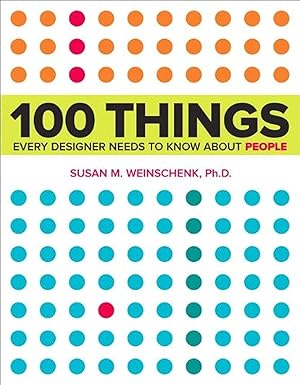
    Why Susan Weinschenk’s “100 Things Every Designer Needs to Know About People” Changed How I Approach Web Design

    When I opened Susan M. Weinschenk’s 100 Things Every Designer Needs to Know About People, I expected another design coffee-table book filled with pretty screenshots and surface-level advice. Instead, I found something far more valuable: a research-backed dismantling of design mythology that the industry has perpetuated for years.

    As someone who builds WordPress websites and designs digital experiences, I’ve absorbed countless “best practices” that feel universally true. Capitalize headings? Yes. Minimize clicks to conversion? Of course. Use mixed-case text because uppercase is harder to read? Absolutelyโ€”everyone knows that. But Weinschenk’s book, grounded in academic psychology research and behavioral science, reveals something uncomfortable: much of what we “know” about design is incomplete, oversimplified, or outright wrong.

    The Book That Actually Uses Science

    What immediately impressed me about Weinschenk’s work is her methodology. She didn’t write from intuition or anecdotal design experience. Instead, she spent months reading “lots and lots of research”โ€”her own wordsโ€”reviewing dozens of books and hundreds of peer-reviewed research articles. Then she combined these evidence-based insights with her 20+ years of designing technology interfaces. The result is 100 concise, actionable principles organized into chapters covering how people see, read, remember, think, make decisions, and feel.

    Each principle is presented in 1-2 pages, typically opening with a relatable real-world scenario, supported by research citations, visual examples, and concrete design takeaways. It’s the opposite of fluffโ€”every page earns its space.

    The Capitalization Myth That Broke My Assumptions

    Let me start with the claim that made me question everything else: the all-caps myth (Principle #13: “It’s a Myth That Capital Letters Are Inherently Hard to Read”).

    For years, I’ve heard the conventional wisdom: ALL CAPS are harder to read because they form uniform rectangles, and readers recognize words by their shapes, not individual letters. This theory has been gospel in design circles. Weinschenk cites the actual research, and here’s the problem: that theory dates back to 1886, and it’s wrong.

    Modern research shows we don’t recognize words by shape. Instead, we recognize and anticipate individual letters in sequenceโ€”what’s called parallel letter recognition. When researchers (Paap, 1984; Rayner, 1998) tested reading speed with uppercase text, they found that uppercase is slower, but only because people aren’t accustomed to it. With practice, speed matches mixed-case text.

    Why does this matter for WordPress designers? It doesn’t mean you should suddenly write your entire website in caps. People perceive all-caps as “shouting,” and the unfamiliarity creates cognitive friction. But it kills the myth that uppercase letters are somehow inherently harder to parse. Understanding the whyโ€”familiarity, not neurological limitationโ€”opens new design possibilities.

    The Navigation Myth: Not All Clicks Are Equal

    Now let’s address the obsession with minimizing clicks. In web design, we treat each click like currency. Reduce clicks. Flatten hierarchies. The assumption: more clicks = worse user experience. But Weinschenk’s research suggests the relationship is far more nuanced.

    The book dives deep into how people actually perceive web pages (Chapter 2: How People See), and here’s where it gets fascinating. Peripheral vision is far more important than most designers realize. Weinschenk cites Kansas State University research showing that while central vision identifies specific objects, peripheral vision captures the “gist” of an entire scene. People decide what a page is about from their peripheral vision in milliseconds, often before they consciously read anything.

    What does this mean for your WordPress site? It’s not the number of clicks that matters mostโ€”it’s whether users can quickly understand the purpose and hierarchy of your page. A well-designed navigation system that takes an extra click is far superior to a flat menu that confuses users about where to find information.

    This is supported by the principle of mental models (Principle #31): people have preconceived notions of where things “should” be. If your navigation violates their expectations, no amount of click-reduction will save you.

    Eye-Tracking Doesn’t Tell the Whole Story

    Weinschenk also addresses a subtle but crucial limitation in how we validate design decisions:ย eye-tracking data is often misinterpretedย (Principle #8: “People Can Miss Changes in Their Visual Fields”).

    Eye-tracking is a powerful toolโ€”it measures where someone’s foveal (central) gaze is focused. The problem? It doesn’t measure attention. People’s eyes can look directly at something without consciously perceiving it. Weinschenk references the famous Gorilla experiment by Christopher Chabris and Daniel Simons: when people watch a basketball video while counting passes, about 50% miss a person in a gorilla costume walking across the screenโ€”even though their eyes physically look at the gorilla.

    The implication for web design is humbling: just because your eye-tracking study shows users look at a certain button doesn’t mean they actually see it or understand its purpose. Context, expectation, and attention matter as much as where the eye lands.

    The Deeper Truth About Motivation and Engagement

    Beyond debunking myths, Weinschenk offers profound insights into human motivation that reshape how we design experiences. Principle #50 (People Are More Motivated as They Get Closer to a Goal) introduces the goal-gradient effect.

    Research from 1934 showed that rats running a maze toward food accelerated their pace as they neared the end. Modern studies by Ran Kivetz confirm humans do the same. This is why progress bars, loyalty cards with visible progress, and achievement milestones work so well.

    Even more interesting: people are MORE motivated by the illusion of progress. In Kivetz’s coffee shop study, customers with a frequent-buyer card that started with two boxes pre-stamped completed their card faster than those starting with a blank cardโ€”even though both required the same number of purchases. The perceived progress was motivating enough to change behavior.

    For WordPress e-commerce sites, this is golden. A checkout progress indicator showing “Step 2 of 4” isn’t just UX; it’s motivation design. It taps into deeply rooted human psychology.

    Variable Rewards and the Casino Effect

    Principle #51 (Variable Rewards Are Powerful) ventures into operant conditioningโ€”Skinner’s work on reinforcement schedules. This is where design intersects with behavioral psychology in ways that feel almost manipulative (and ethically, deserves careful consideration).

    Weinschenk explains four types of reinforcement schedules: fixed interval, variable interval, fixed ratio, and variable ratio. The variable ratio scheduleโ€”where you don’t know exactly when the reward comes, but the odds improve with each attemptโ€”is the most addictive. It’s how slot machines work.

    Understanding this matters not because you should design deceptive websites, but because it reveals how engagement systems actually function. If you’re building a WordPress site with gamification, user rewards, or social features, knowing that variable rewards create stronger engagement than predictable rewards is essential. The question is whether you use this knowledge ethically.

    What Makes This Book Different From Other Design Reads

    In an industry saturated with design books, 100 Things Every Designer Needs to Know About People stands out for several reasons:

    1. Research-Driven, Not Opinion-Based
    Every principle is backed by citations. Weinschenk doesn’t just assert; she references academic sources. If you dig into the bibliography (it’s extensive), you can verify and explore further.

    2. Myth-Busting Instead of Rule-Giving
    Rather than prescriptive “do this” advice, Weinschenk often starts by dismantling false beliefs. This approach is more intellectually honest and more usefulโ€”it teaches you how to think about design problems rather than giving you templates.

    3. Practical Without Being Shallow
    The takeaways at the end of each section are immediately applicable to WordPress sites, web apps, and digital products. But they’re never simplistic. Each principle forces you to think deeper about trade-offs and context.

    4. Breadth Across Human Cognition
    The book covers vision, memory, attention, motivation, emotion, decision-making, and social behavior. It’s not just “web design best practices”โ€”it’s a mini-course in applied psychology for designers.

    How This Book Changes Your Design Process

    Since reading Weinschenk, my approach to design decisions has fundamentally shifted. Instead of asking “What does best practice say?” I now ask “What does human cognition actually support?”

    This leads to different conversations with clients:

    • On navigation complexity: “We might need an extra click, but if it matches how users mentally model the site, they’ll actually navigate faster and feel more confident.”
    • On text formatting: “We don’t need to avoid caps; we need to use them strategically where they work for attention or hierarchy, not avoid them blindly.”
    • On call-to-action buttons: “This button needs visual cues showing it’s clickableโ€”not just color and text.”
    • On progress and goals: “Every step toward conversion should be visible. Even the illusion of progress motivates users to continue.”

    Should You Read It?

    If you build websites, design user experiences, or care about why people behave the way they do online, yes. Absolutely.

    The book isn’t longโ€”about 300 pagesโ€”but it’s information-dense. You won’t read it cover-to-cover in an evening. Instead, it works best as a reference guide you return to when designing specific features or troubleshooting user behavior problems.

    It’s also available in a follow-up edition: 100 More Things Every Designer Needs to Know About People (2016), which expands on topics like interface design, embodied cognition, and diversity.

    The Bigger Picture

    What I appreciate most about Weinschenk’s work is that it advocates for designing with people, not for assumptions about people. So much of design thinkingโ€”in WordPress customization, e-commerce, SaaS interfacesโ€”is based on what stakeholders believe users want, not what research actually shows.

    By grounding design in behavioral science, Weinschenk empowers designers to make stronger arguments, ask better questions, and create experiences that respect how human cognition actually works.

    In a field where trends change every season and “best practices” are constantly updated, it’s refreshing to read something rooted in timeless principles about how humans perceive, think, and decide. That’s the real value of this book: it’s not about what’s trendy in design. It’s about what works because of how brains work.


    Have you read Weinschenk’s book? What principle surprised you most? What design myth have you held on to that this research challenges? Share your thoughts in the commentsโ€”I’d love to know which insights resonated with your own design practice.

  • 5 Website Mistakes That Are Costing You Sales

    5 Website Mistakes That Are Costing You Sales

    5 website mistakes silently reduce conversions by slowing users down, confusing them, or breaking trust, and they are especially dangerous when you rely on your site to generate leads or sales in the EU. The good news is that each mistake can be fixed with clear UX, performance, and legal-compliance improvements that work well for European audiences.โ€‹


    1. Your website is painfully slow

    Slow websites are one of the most common reasons visitors leave before buying or sending an enquiry. Multiple studies show that even a 1โ€‘second delay can reduce conversions by around 7% and that more than half of mobile users abandon pages that take more than 3 seconds to load.โ€‹

    On WordPress, slow performance often comes from oversized images, too many plugins, and cheap or misconfigured hosting. For EU customers, performance matters even more because visitors might browse on mobile data or during short breaks, and Googleโ€™s Core Web Vitals use speed as a ranking signal for search results.โ€‹

    Action steps you can take:

    • Compress and resize images instead of uploading original photos straight from your camera or stock site.โ€‹
    • Audit your plugin list and remove everything you donโ€™t really need; keep the rest updated to reduce bloat and security risks.โ€‹
    • Use caching and a content delivery network (CDN) to serve assets closer to users across the EU, which shortens load times.โ€‹
    • Choose a hosting provider that is optimized for WordPress and has data centers in Europe to reduce latency for EU visitors.โ€‹

    2. Navigation makes people feel lost

    If visitors struggle to find what they need, they will not stay long enough to buy from you. Research on eโ€‘commerce usability shows that confusing menus, too many options, and deadโ€‘end pages dramatically increase abandoned browsing sessions and reduce product discovery.โ€‹

    Typical navigation mistakes include hidden or overcrowded menus, unclear labels (โ€œSolutionsโ€ instead of โ€œWeb Designโ€), and callsโ€‘toโ€‘action that compete with each other. For service businesses in the EU, this often means potential clients never reach key pages like โ€œServicesโ€, โ€œPricingโ€, or โ€œContactโ€, so you lose enquiries that should have been easy wins.โ€‹

    Action steps you can take:

    • Keep your main menu simple: link only to core pages such as Home, Services, Portfolio, About, Blog, and Contact.โ€‹
    • Use clear, descriptive labels so visitors instantly understand where each link goes, rather than internal jargon.โ€‹
    • Design a logical content structure with internal links that guide users from informational blog posts to service pages and contact forms.โ€‹
    • Make your primary callโ€‘toโ€‘action (e.g. โ€œRequest a Quoteโ€) visually prominent and repeat it in logical places across the site.โ€‹

    3. Your mobile experience is an afterthought

    More than half of online shoppers browse and buy on mobile devices, yet many websites still prioritize desktop layouts. Studies on mobile access show that when tasks take longer or pages are harder to use on smartphones, conversion rates drop sharply compared to desktop.โ€‹

    Common issues include text that is too small, buttons that are hard to tap, layouts that break on smaller screens, and popโ€‘ups that block content. In the EU, where consumers compare offers quickly on their phones and regulators pay attention to dark patterns, clumsy mobile designs can feel unprofessional or even manipulative.โ€‹

    Action steps you can take:

    • Use a responsive WordPress theme that adapts to different screen sizes, and test your site on several devices, not only in a desktop browser.โ€‹
    • Ensure text is readable without zooming, that buttons have enough size and spacing, and that forms are easy to complete on a small screen.โ€‹
    • Reduce unnecessary popโ€‘ups on mobile and avoid designs that trick users into clicking, as โ€œdark patternsโ€ can both hurt trust and attract regulatory attention.โ€‹
    • Monitor mobile performance separately in your analytics so you can spot and fix mobileโ€‘specific dropโ€‘offs.โ€‹

    4. You are not building enough trust

    Even if your design looks modern, lack of trust signals can make EU customers hesitate to contact you or enter payment details. Research into conversion rate optimization highlights trust, usability, and aesthetics as core elements that determine whether visitors feel safe enough to buy.โ€‹

    Trust problems include missing HTTPS, no clear contact information, vague pricing, and absence of testimonials or reviews. For EU visitors, clear legal pages (imprint, privacy policy, terms and conditions) and transparent information about returns and customer support are especially important and sometimes legally required.โ€‹

    Action steps you can take:

    • Use an SSL certificate so your site loads over HTTPS and display recognizable security indicators, especially on checkout or contact pages.โ€‹
    • Add genuine testimonials, case studies, and logos of clients or partners to show that real people and businesses already trust you.โ€‹
    • Provide clear, easyโ€‘toโ€‘find information about who you are, where you are based in the EU, and how people can contact you (email, address, legal notice).โ€‹
    • Write straightforward pricing or at least transparent โ€œstarting fromโ€ rates, so potential clients feel safe enough to reach out.โ€‹

    5. You ignore EU privacy and compliance basics

    For websites targeting visitors from the European Union, ignoring GDPR and the ePrivacy Directive can damage both trust and business risk. EU guidance explains that cookies and other tracking technologies which process personal data require informed, optโ€‘in consent, and visitors must be able to withdraw consent as easily as they gave it.โ€‹

    Typical mistakes include cookie banners that preโ€‘check boxes, hide the โ€œRejectโ€ option, or start tracking before any consent is given. These patterns not only harm user experience but can also be considered nonโ€‘compliant โ€œnudgesโ€ or dark patterns that manipulate people, something recent research and regulators increasingly criticize.โ€‹

    Action steps you can take:

    • Implement a GDPRโ€‘compliant cookie banner that explains what cookies you use, why you use them, and provides equal prominence to โ€œAcceptโ€ and โ€œRejectโ€ or granular options.โ€‹
    • Ensure that nonโ€‘essential cookies (analytics, marketing, tracking pixels) are blocked until the user has given explicit consent.โ€‹
    • Maintain an upโ€‘toโ€‘date privacy policy and, where required, an imprint or legal notice that reflects EU and local country requirements.โ€‹
    • Avoid deceptive designs that hide important choices or push people into consent; this reduces legal risk and supports longโ€‘term customer relationships.โ€‹

    Why fixing these 5 mistakes increases your sales

    Conversion research shows that performance, usability, trust, and compliance work together as a system: when one is weak, the whole experience suffers. By speeding up your WordPress site, simplifying navigation, improving mobile experience, adding visible trust signals, and respecting EU privacy rules, you make it easier for visitors to say โ€œyesโ€ to your offer.โ€‹

    For EUโ€‘focused businesses, this combination does more than boost numbers in analytics; it also supports longโ€‘term reputation in a market where digital experiences and regulations evolve quickly. A small set of targeted improvements can turn your website from a hidden bottleneck into a reliable engine for new leads and sales.โ€‹


  • How to Align Your Website with Your Business Plan

    How to Align Your Website with Your Business Plan


    Your Website Should Serve Your Goals

    I often meet business owners who have a website, but when I ask, โ€œHow does it fit into your overall business plan?โ€, the answer is usually unclear. Your website shouldnโ€™t exist in isolationโ€”itโ€™s a tool to achieve your business goals. By aligning it with your business plan, you can ensure it actually contributes to growth, not just looks pretty online.


    1. Start With Your Business Plan

    Before we even think about design or features, take a step back and look at the big picture:

    • Target audience โ€“ Who are your ideal customers? What problems are you solving for them?
    • Value proposition โ€“ Why should someone choose your product or service over others?
    • Revenue streams โ€“ How will your website contribute to sales, subscriptions, or leads?

    Pro Tip: I like to create a one-page โ€œwebsite goals mapโ€ that directly links each element of the business plan to a website function. Itโ€™s a simple tool, but it prevents a lot of wasted time later.


    2. Define Website Objectives That Match Business Goals

    Once you know your plan, translate it into concrete website objectives:

    • Lead generation โ€“ If your business plan focuses on new client acquisition, make forms, calls-to-action, and landing pages your priority.
    • Sales & e-commerce โ€“ If online revenue is key, focus on product pages, checkout flow, and trust-building elements like reviews.
    • Brand authority โ€“ If building credibility is essential, prioritize case studies, blog posts, and expert content.

    Example: One client wanted more corporate clients. We created a dedicated โ€œServices for Businessesโ€ section and added downloadable resources for prospects. Within 3 months, inquiries doubled.


    3. Identify Key Metrics (KPIs)

    A website without metrics is like driving without a speedometer. Decide how youโ€™ll measure success:

    • Number of inquiries, quote requests, or newsletter sign-ups.
    • Sales or revenue generated directly from the website.
    • Engagement metrics: time on page, downloads, or repeat visits.

    Pro Tip: Pick 3โ€“5 KPIs that truly matter. Too many metrics can be overwhelming and distract from what really drives business growth.


    4. Optimize the User Journey

    Think of your website as a map that guides your visitor toward a goal. Every page should have a purpose:

    • Clear calls-to-action: โ€œRequest a Quote,โ€ โ€œBook a Call,โ€ or โ€œBuy Now.โ€
    • Logical navigation: Visitors should never wonder what to do next.
    • Supporting content: Blog posts, FAQs, or testimonials to build trust along the journey.

    Tip: I often create a โ€œvisitor journey diagramโ€ for clients. It helps visualize how someone moves from first visit to becoming a customer.


    5. Continuous Measurement and Improvement

    Even after launch, your work isnโ€™t done. A website aligned with your business plan requires ongoing attention:

    • Track your KPIs and analyze what works and what doesnโ€™t.
    • A/B test landing pages, calls-to-action, and content placement.
    • Update content and design to reflect changes in your business goals.

    Example: A small e-commerce client saw a 15% increase in sales after just two months of testing different checkout page layouts.


    Conclusion โ€“ Your Website Should Work as Hard as You Do

    By connecting your website directly to your business plan, it becomes more than just a digital presenceโ€”it becomes a growth engine for your business.

    If youโ€™re ready to make your website an integral part of your business strategy, I can help you map your goals, set measurable objectives, and design a site that delivers real results.


  • Why a โ€œPrettyโ€ Website Alone Wonโ€™t Grow Your Business

    Why a โ€œPrettyโ€ Website Alone Wonโ€™t Grow Your Business

    A Website is More Than Just Design

    When I first started working with clients, I often heard: โ€œI just want a beautiful website.โ€ And while aesthetics are important, I quickly realized that a websiteโ€™s beauty alone doesnโ€™t pay the bills. A website should be an active business tool, not just an online brochure. If itโ€™s not aligned with your business goals, it may look stunning but wonโ€™t actually help your business grow.


    1. What Can Your Website Actually Do for Your Business?

    A well-designed website can do much more than look niceโ€”it can drive results. Hereโ€™s how:

    • Generate leads โ€“ Collect contact information through newsletter sign-ups, inquiry forms, or downloadable resources. For example, a simple โ€œRequest a Quoteโ€ form can turn casual visitors into real business opportunities.
    • Sell products or services โ€“ An online store or booking system can help you sell directly through your website 24/7.
    • Build your brand โ€“ Showcase your expertise, create trust, and strengthen your reputation in your industry. This is especially important for service-based businesses where credibility is key.
    • Support customers โ€“ Offer FAQs, live chat, or appointment scheduling to improve customer experience and reduce workload.

    Tip: If you canโ€™t clearly answer the question, โ€œWhat do I want my website to achieve?โ€ in one sentence, itโ€™s a sign that your site isnโ€™t aligned with your business goals yet.


    2. The Risks of a Website Without a Business Focus

    When a website is created just for its looks, a few common problems arise:

    • Visitors come, but donโ€™t convert into customers.
    • Marketing campaigns are less effective because the website isnโ€™t optimized to support them.
    • The investment in the site doesnโ€™t deliver real value to your business.

    Example: I once worked with a client whose online store was visually stunning but very slow and hard to navigate on mobile. Despite hundreds of visitors each month, nearly 70% left without making a purchase. Beautifulโ€”but dead in terms of business impact.


    3. How to Turn Your Website into a Business Asset

    Hereโ€™s a step-by-step approach I use with my clients to make websites work for their business:

    1. Define your goals โ€“ Do you want more inquiries, sales, newsletter sign-ups, or something else? Being specific helps design and functionality align with your goals.
    2. Identify the metrics โ€“ Decide how youโ€™ll measure success: number of leads, sales, email subscribers, or other key indicators.
    3. Map the user journey โ€“ Think about how a visitor moves from landing on your site to taking the desired action. Each page should guide them naturally toward conversion.
    4. Measure and optimize โ€“ Track your siteโ€™s performance and make adjustments as needed. Websites are never โ€œdoneโ€; they grow and improve over time.

    Pro Tip: I often create a simple โ€œconversion pathโ€ diagram for my clients, showing every step from first visit to final action. Itโ€™s amazing how much clarity it brings!


    4. Why Having a Professional Help Matters

    Design alone wonโ€™t turn your website into a growth engine. A developer or designer who understands business objectives can help you:

    • Translate your business goals into functional website features.
    • Optimize the user experience to maximize conversions.
    • Ensure your website actually delivers measurable results.

    If you want a website that not only looks great but also drives revenue and growth, Iโ€™d love to help. Together, we can make sure your website works as hard as you do.