
Category: Uncategorized

  • WordPress website cost in Germany/Europe: what you actually pay for (and what’s optional)

    If you’ve ever tried to price a WordPress website in Germany or elsewhere in Europe, you’ve probably seen everything from “a few hundred euros” to “five figures” for something that—on the surface—looks similar: a homepage, an about page, and a contact form.

    The reason the numbers vary is simple: you’re not paying for “a website.” You’re paying for outcomes—trust, clarity, speed, security, SEO foundations, and maintainability—plus the amount of risk and time you want to remove from your own plate.

    This guide breaks down what a WordPress website actually costs in Germany/Europe, what drives the price up or down, and what’s truly optional so you can budget with confidence. (And if you’re not ready for a full project, you can still get meaningful results with small improvements.)

    Not ready for a full rebuild? Start with a Quick Task

    A lot of businesses don’t need a brand-new website right away. They need targeted fixes that remove friction and make the existing site perform better—fast.

    That’s exactly what my microservices (Quick Tasks) are for: small improvements with fast turnaround to make your website faster, safer, and easier to find online.

    If you want the simplest next step, request a free website audit (design, speed, user experience) and I’ll reply with the top 1–3 improvements that will make the biggest difference.

    Content Upload & Formatting — from €30 per page

    You send me your text and images (Google Doc, PDF, email, or existing draft), and I’ll publish the page in WordPress with clean, consistent formatting.​
    Includes proper headings, spacing, links, buttons, and a mobile-friendly layout so the page looks professional on desktop and phone.
    Best for: new service pages, landing pages, blog posts, portfolio entries, or updating old pages that look inconsistent.

    What I need from you: the content + where it should go (menu location or page URL).
    Delivery: typically 1–3 business days depending on length/complexity.
    Output: a published page (or draft for your approval) + a short note of what was done.

    Tiny improvements that boost conversions

    If you want these to sell better, add one line under your “Quick Tasks” headline:

    “Not sure what you need? Request a free website audit and I’ll recommend the best first Quick Task.” (Link to your contact/audit page.)

    Paste the current accordion texts when you can, and tell me your preferred tone:

    1. very direct and technical, or
    2. friendly and non-technical (small business owners).

    CTA: Request your free website audit → https://mayafiddler.com/contact-me-request-a-quote/

    WordPress (the software) is free and open source, but a real site still requires:

    • A domain (your web address)
    • Hosting (where WordPress runs)
    • A theme and/or design work
    • Plugins/integrations (forms, backups, SEO, security, etc.)
    • Content (text + images)
    • Setup, testing, and ongoing updates

    So when someone asks, “How much does a WordPress website cost?” they’re really asking: “How much does it cost to build and run a WordPress site that supports my business goals?”

    A useful way to understand pricing is to separate costs into three categories.

    1) Build costs (one-time)

    This is the “make it real and ready to launch” phase. It usually includes:

    • Discovery & planning (goals, target audience, required pages, priorities)
    • Site structure (navigation, page hierarchy, user journeys)
    • Design (layout, typography, color, reusable sections)
    • Development (WordPress setup, theme implementation, page building)
    • Mobile responsiveness
    • Forms and basic integrations
    • Testing (devices, browsers, basic performance checks)
    • Launch steps (go-live, redirects if needed)

    2) Running costs (monthly/yearly)

    This is the “keep it online and safe” phase:

    • Domain renewal
    • Hosting plan
    • Premium plugins (optional)
    • Maintenance (updates, backups, security monitoring)

    3) Growth costs (optional, ongoing)

    This is the “improve results over time” phase:

    • Content marketing (blog posts, landing pages)
    • SEO strategy (keyword research, technical audits, internal linking plans)
    • Conversion optimization (CTA improvements, funnel refinement)
    • Campaign support (lead magnets, email capture flows)

    Most people only budget for build costs. In practice, running + growth is what keeps the site healthy and profitable.

    Instead of chasing one “average price,” it’s more useful to identify the type of project.

    Option A: DIY starter site

    Good for early-stage ideas and very small budgets. You’ll still pay for domain/hosting and spend time choosing a theme, configuring plugins, and writing copy.

    The risk is that DIY choices can create technical debt: slow performance, plugin conflicts, messy structure, and weak SEO foundations.

    Option B: Hybrid (you provide content, a pro builds the foundation)

    A strong middle ground:

    • You provide text and images (or a first draft)
    • A developer builds a clean structure, sets up the technical foundation, and launches the site professionally

    This can reduce costs while avoiding the most common technical mistakes.

    Option C: Professional small business website

    This is the most common route for businesses that want leads and credibility. It usually includes strategy, tailored design decisions, clean implementation, and a site that’s easy to extend later (new landing pages, blog posts, multilingual expansion).

    Option D: Advanced / complex builds

    Costs rise when you add:

    • E-commerce (products, shipping, tax, payments, transactional emails)
    • Membership logic (access rules, user accounts, gated content)
    • Booking systems (availability, deposits, automations)
    • Multiple languages at scale (translation workflows and SEO per language)
    • Custom development and API integrations

    Complexity isn’t bad—it just needs budgeting and a maintenance plan.


    Here are the factors that move your quote up or down.

    1) Strategy & site structure

    A good website isn’t a stack of pages. It’s a guided journey:

    • Who is the visitor?
    • What do they need to understand before they contact you?
    • What objections do you need to address?
    • What’s the simplest next step?

    This is why two “5-page websites” can cost very different amounts: the expensive one is engineered to convert.

    2) Design quality (template vs. tailored)

    Using a theme doesn’t automatically mean low quality. What matters is:

    • Consistency (spacing, typography, button styles, layout rules)
    • Mobile behavior (sections don’t break, text stays readable)
    • Trust signals (clear hierarchy, professional visuals)
    • Brand alignment (it feels like your business, not a demo)

    Often, the difference between “cheap” and “professional” is attention to these details.

    3) Content creation (copy + images)

    Content is frequently underestimated and can become a major line item if you need:

    • Copywriting from scratch
    • Editing and restructuring existing text
    • Photography
    • Custom graphics/illustrations
    • Translations and language editing

    If content isn’t ready, projects take longer and launches get delayed—so planning content early saves money.

    4) Functionality and integrations

    Each “small feature” adds time to configure, test, and maintain:

    • Forms (with spam protection and confirmation emails)
    • Newsletter signup and automations
    • Booking tools
    • Analytics and consent setup
    • SEO tooling
    • Multilingual setup

    A good quote will list what’s included so there are no surprises.

    5) SEO foundations

    SEO is a long-term activity, but a professional build should include baseline SEO hygiene:

    • Clean structure and mobile-first layout
    • Sensible headings and page templates
    • Fast loading pages
    • Indexing basics and metadata setup

    Advanced SEO (keyword research, content strategy, technical audits) is usually a separate scope because it’s ongoing work.

    6) Security, backups, and maintenance readiness

    WordPress sites need updates—core, plugins, and theme. A professional setup reduces risk with:

    • Backup strategy
    • Update routines
    • Security hardening basics
    • Monitoring and recovery plan

    Skipping maintenance planning is one of the most expensive “savings” a business can make.

    If a full website project isn’t the right move today, you can still improve results with targeted fixes.

    Here are realistic examples of “Quick Task”-style work:

    • Content upload & formatting (for example, polishing and publishing pages/posts cleanly; my microservices include this as a fast-turnaround option).
    • Speed and performance cleanup (typical wins: image optimization, basic caching setup, removing obvious bloat).
    • Mobile layout fixes (headings too large, broken spacing, buttons hard to tap).
    • Contact form fixes (messages not arriving, spam issues, unclear confirmation).
    • Homepage clarity polish (stronger CTA, better section order, clearer messaging).

    If you want me to recommend the best first step, I offer a free website audit focused on design, speed, and user experience.

    If you need to reduce costs at the start, these are often optional early on:

    • Advanced animations and custom interactive effects
    • Large-scale content production (start lean, expand later)
    • Multi-language rollout (start with one language, add more later)
    • Complex custom functionality (launch simple, iterate with real user data)
    • High-end brand photography (start with strong stock and upgrade later)

    But if you want the site to bring inquiries/orders, I’d avoid skipping:

    • Mobile-first build quality
    • Fast loading and clean structure
    • Clear messaging and calls to action
    • Security + backups
    • Basic SEO foundations

    A site can be simple and still be professional. The key is that the foundations are solid.

    If you want a realistic plan, budget in layers:

    1. Launch layer (must-have): essential pages, clear structure, clean design, forms, baseline SEO, secure build
    2. Trust layer (high value): testimonials, case studies/portfolio, better visuals, clearer copy, FAQs
    3. Growth layer (optional): content marketing, SEO expansion, service landing pages, conversion optimization

    This approach gets you online sooner while keeping the path open for growth.

    When you ask for a quote (or compare quotes), make sure it’s clear whether the project includes:

    • Number of pages and templates
    • Design approach (theme-based vs. tailored components)
    • Mobile responsiveness + browser testing
    • Forms (how many, where submissions go, spam protection)
    • SEO foundations (what exactly is included)
    • Performance plan (how speed will be handled)
    • Security and backups (who owns it and how recovery works)
    • Post-launch support (training, a bug-fix window, maintenance options)

    Clarity here protects your budget.

    If you already have a website and want better results without a full rebuild, start with a Quick Task.

    Request a free website audit and I’ll send you the top 1–3 fixes that will have the biggest impact on speed, clarity, and user experience.
  • Stop Believing Design Myths

    Stop Believing Design Myths

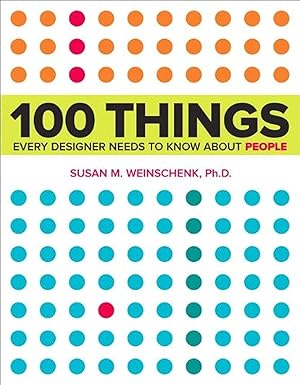
    Why Susan Weinschenk’s “100 Things Every Designer Needs to Know About People” Changed How I Approach Web Design

    When I opened Susan M. Weinschenk’s 100 Things Every Designer Needs to Know About People, I expected another design coffee-table book filled with pretty screenshots and surface-level advice. Instead, I found something far more valuable: a research-backed dismantling of design mythology that the industry has perpetuated for years.

    As someone who builds WordPress websites and designs digital experiences, I’ve absorbed countless “best practices” that feel universally true. Capitalize headings? Yes. Minimize clicks to conversion? Of course. Use mixed-case text because uppercase is harder to read? Absolutely—everyone knows that. But Weinschenk’s book, grounded in academic psychology research and behavioral science, reveals something uncomfortable: much of what we “know” about design is incomplete, oversimplified, or outright wrong.

    The Book That Actually Uses Science

    What immediately impressed me about Weinschenk’s work is her methodology. She didn’t write from intuition or anecdotal design experience. Instead, she spent months reading “lots and lots of research”—her own words—reviewing dozens of books and hundreds of peer-reviewed research articles. Then she combined these evidence-based insights with her 20+ years of designing technology interfaces. The result is 100 concise, actionable principles organized into chapters covering how people see, read, remember, think, make decisions, and feel.

    Each principle is presented in 1-2 pages, typically opening with a relatable real-world scenario, supported by research citations, visual examples, and concrete design takeaways. It’s the opposite of fluff—every page earns its space.

    The Capitalization Myth That Broke My Assumptions

    Let me start with the claim that made me question everything else: the all-caps myth (Principle #13: “It’s a Myth That Capital Letters Are Inherently Hard to Read”).

    For years, I’ve heard the conventional wisdom: ALL CAPS are harder to read because they form uniform rectangles, and readers recognize words by their shapes, not individual letters. This theory has been gospel in design circles. Weinschenk cites the actual research, and here’s the problem: that theory dates back to 1886, and it’s wrong.

    Modern research shows we don’t recognize words by shape. Instead, we recognize and anticipate individual letters in sequence—what’s called parallel letter recognition. When researchers (Paap, 1984; Rayner, 1998) tested reading speed with uppercase text, they found that uppercase is slower, but only because people aren’t accustomed to it. With practice, speed matches mixed-case text.

    Why does this matter for WordPress designers? It doesn’t mean you should suddenly write your entire website in caps. People perceive all-caps as “shouting,” and the unfamiliarity creates cognitive friction. But it kills the myth that uppercase letters are somehow inherently harder to parse. Understanding the why—familiarity, not neurological limitation—opens new design possibilities.

    The Navigation Myth: Not All Clicks Are Equal

    Now let’s address the obsession with minimizing clicks. In web design, we treat each click like currency. Reduce clicks. Flatten hierarchies. The assumption: more clicks = worse user experience. But Weinschenk’s research suggests the relationship is far more nuanced.

    The book dives deep into how people actually perceive web pages (Chapter 2: How People See), and here’s where it gets fascinating. Peripheral vision is far more important than most designers realize. Weinschenk cites Kansas State University research showing that while central vision identifies specific objects, peripheral vision captures the “gist” of an entire scene. People decide what a page is about from their peripheral vision in milliseconds, often before they consciously read anything.

    What does this mean for your WordPress site? It’s not the number of clicks that matters most—it’s whether users can quickly understand the purpose and hierarchy of your page. A well-designed navigation system that takes an extra click is far superior to a flat menu that confuses users about where to find information.

    This is supported by the principle of mental models (Principle #31): people have preconceived notions of where things “should” be. If your navigation violates their expectations, no amount of click-reduction will save you.

    Eye-Tracking Doesn’t Tell the Whole Story

    Weinschenk also addresses a subtle but crucial limitation in how we validate design decisions: eye-tracking data is often misinterpreted (Principle #8: “People Can Miss Changes in Their Visual Fields”).

    Eye-tracking is a powerful tool—it measures where someone’s foveal (central) gaze is focused. The problem? It doesn’t measure attention. People’s eyes can look directly at something without consciously perceiving it. Weinschenk references the famous Gorilla experiment by Christopher Chabris and Daniel Simons: when people watch a basketball video while counting passes, about 50% miss a person in a gorilla costume walking across the screen—even though their eyes physically look at the gorilla.

    The implication for web design is humbling: just because your eye-tracking study shows users look at a certain button doesn’t mean they actually see it or understand its purpose. Context, expectation, and attention matter as much as where the eye lands.

    The Deeper Truth About Motivation and Engagement

    Beyond debunking myths, Weinschenk offers profound insights into human motivation that reshape how we design experiences. Principle #50 (People Are More Motivated as They Get Closer to a Goal) introduces the goal-gradient effect.

    Research from 1934 showed that rats running a maze toward food accelerated their pace as they neared the end. Modern studies by Ran Kivetz confirm humans do the same. This is why progress bars, loyalty cards with visible progress, and achievement milestones work so well.

    Even more interesting: people are MORE motivated by the illusion of progress. In Kivetz’s coffee shop study, customers with a frequent-buyer card that started with two boxes pre-stamped completed their card faster than those starting with a blank card—even though both required the same number of purchases. The perceived progress was motivating enough to change behavior.

    For WordPress e-commerce sites, this is golden. A checkout progress indicator showing “Step 2 of 4” isn’t just UX; it’s motivation design. It taps into deeply rooted human psychology.

    Variable Rewards and the Casino Effect

    Principle #51 (Variable Rewards Are Powerful) ventures into operant conditioning—Skinner’s work on reinforcement schedules. This is where design intersects with behavioral psychology in ways that feel almost manipulative (and ethically, deserves careful consideration).

    Weinschenk explains four types of reinforcement schedules: fixed interval, variable interval, fixed ratio, and variable ratio. The variable ratio schedule—where you don’t know exactly when the reward comes, but the odds improve with each attempt—is the most addictive. It’s how slot machines work.

    Understanding this matters not because you should design deceptive websites, but because it reveals how engagement systems actually function. If you’re building a WordPress site with gamification, user rewards, or social features, knowing that variable rewards create stronger engagement than predictable rewards is essential. The question is whether you use this knowledge ethically.

    What Makes This Book Different From Other Design Reads

    In an industry saturated with design books, 100 Things Every Designer Needs to Know About People stands out for several reasons:

    1. Research-Driven, Not Opinion-Based
    Every principle is backed by citations. Weinschenk doesn’t just assert; she references academic sources. If you dig into the bibliography (it’s extensive), you can verify and explore further.

    2. Myth-Busting Instead of Rule-Giving
    Rather than prescriptive “do this” advice, Weinschenk often starts by dismantling false beliefs. This approach is more intellectually honest and more useful—it teaches you how to think about design problems rather than giving you templates.

    3. Practical Without Being Shallow
    The takeaways at the end of each section are immediately applicable to WordPress sites, web apps, and digital products. But they’re never simplistic. Each principle forces you to think deeper about trade-offs and context.

    4. Breadth Across Human Cognition
    The book covers vision, memory, attention, motivation, emotion, decision-making, and social behavior. It’s not just “web design best practices”—it’s a mini-course in applied psychology for designers.

    How This Book Changes Your Design Process

    Since reading Weinschenk, my approach to design decisions has fundamentally shifted. Instead of asking “What does best practice say?” I now ask “What does human cognition actually support?”

    This leads to different conversations with clients:

    • On navigation complexity: “We might need an extra click, but if it matches how users mentally model the site, they’ll actually navigate faster and feel more confident.”
    • On text formatting: “We don’t need to avoid caps; we need to use them strategically where they work for attention or hierarchy, not avoid them blindly.”
    • On call-to-action buttons: “This button needs visual cues showing it’s clickable—not just color and text.”
    • On progress and goals: “Every step toward conversion should be visible. Even the illusion of progress motivates users to continue.”

    Should You Read It?

    If you build websites, design user experiences, or care about why people behave the way they do online, yes. Absolutely.

    The book isn’t long—about 300 pages—but it’s information-dense. You won’t read it cover-to-cover in an evening. Instead, it works best as a reference guide you return to when designing specific features or troubleshooting user behavior problems.

    It’s also available in a follow-up edition: 100 More Things Every Designer Needs to Know About People (2016), which expands on topics like interface design, embodied cognition, and diversity.

    The Bigger Picture

    What I appreciate most about Weinschenk’s work is that it advocates for designing with people, not for assumptions about people. So much of design thinking—in WordPress customization, e-commerce, SaaS interfaces—is based on what stakeholders believe users want, not what research actually shows.

    By grounding design in behavioral science, Weinschenk empowers designers to make stronger arguments, ask better questions, and create experiences that respect how human cognition actually works.

    In a field where trends change every season and “best practices” are constantly updated, it’s refreshing to read something rooted in timeless principles about how humans perceive, think, and decide. That’s the real value of this book: it’s not about what’s trendy in design. It’s about what works because of how brains work.


    Have you read Weinschenk’s book? What principle surprised you most? What design myth have you held on to that this research challenges? Share your thoughts in the comments—I’d love to know which insights resonated with your own design practice.